Trial
Try 7-days of unlimited classes for $7.
Everything you need to know about making the most of your The STUDIO experience. From booking classes to managing your membership, we've got you covered.
Learn how to share your credits with family members or friends by booking classes on their behalf.
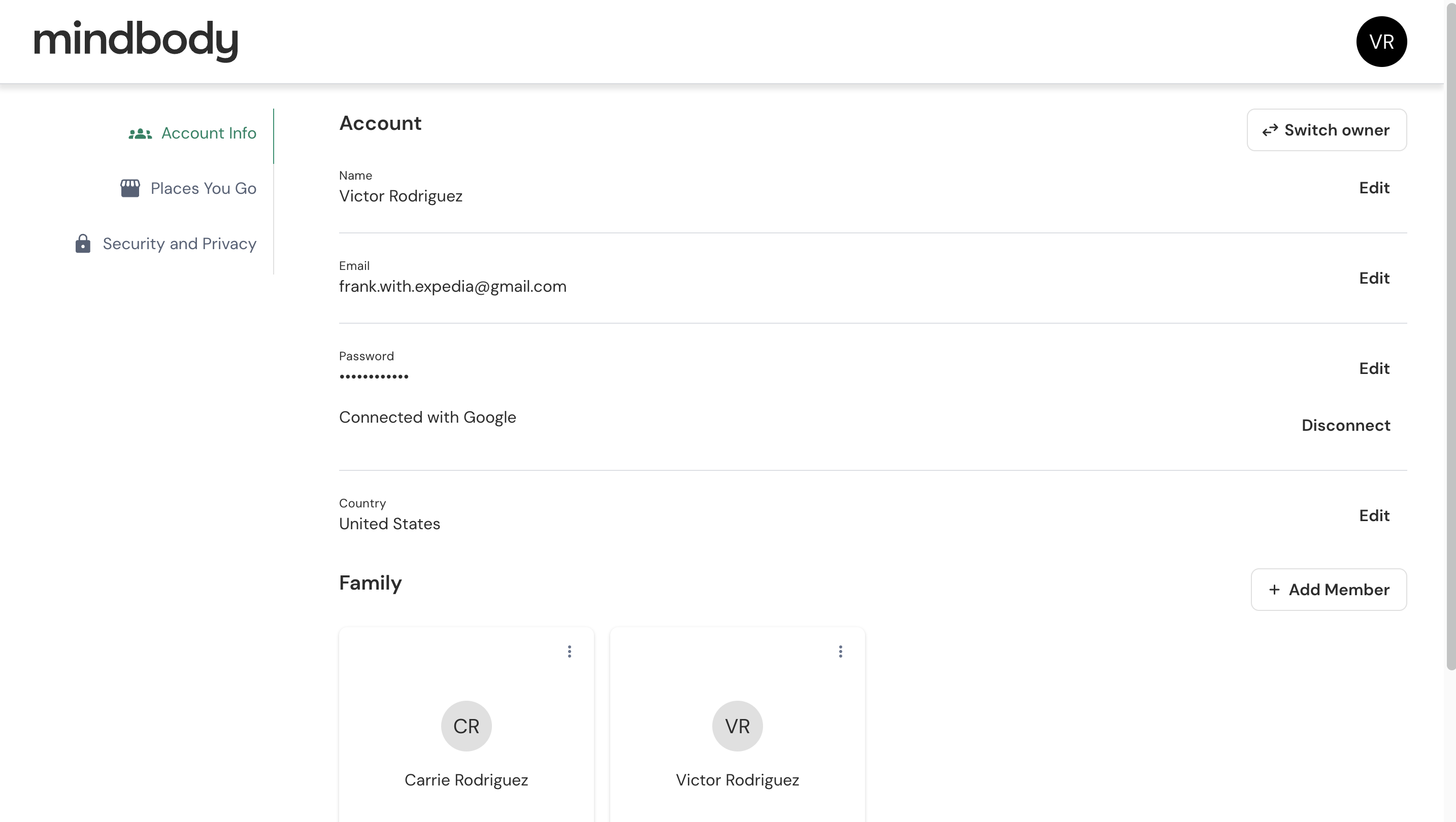
Scroll down to find the Family section in your account
Click the '+ Add Member' button to add the person you want to give a credit to
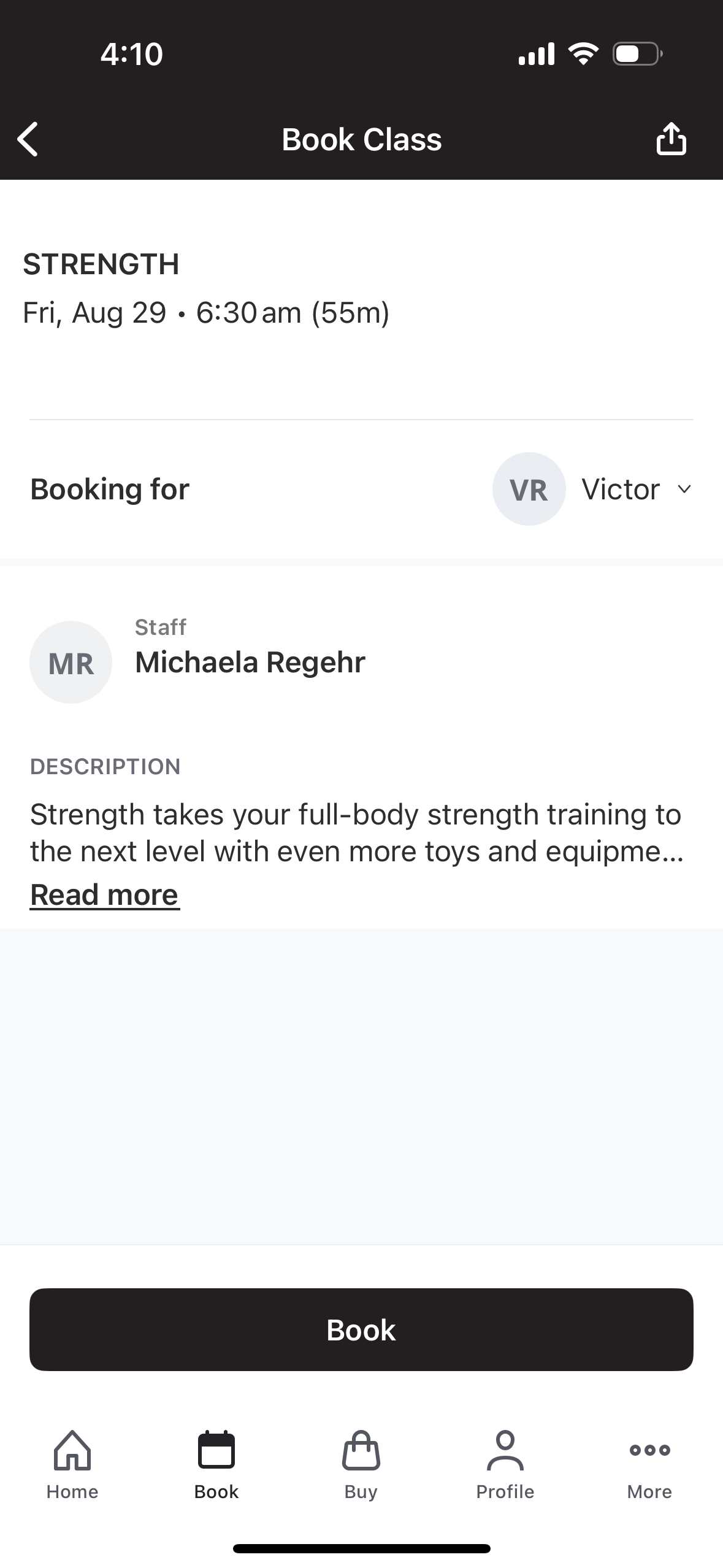
Navigate to the desired class and select the 'Booking for' button
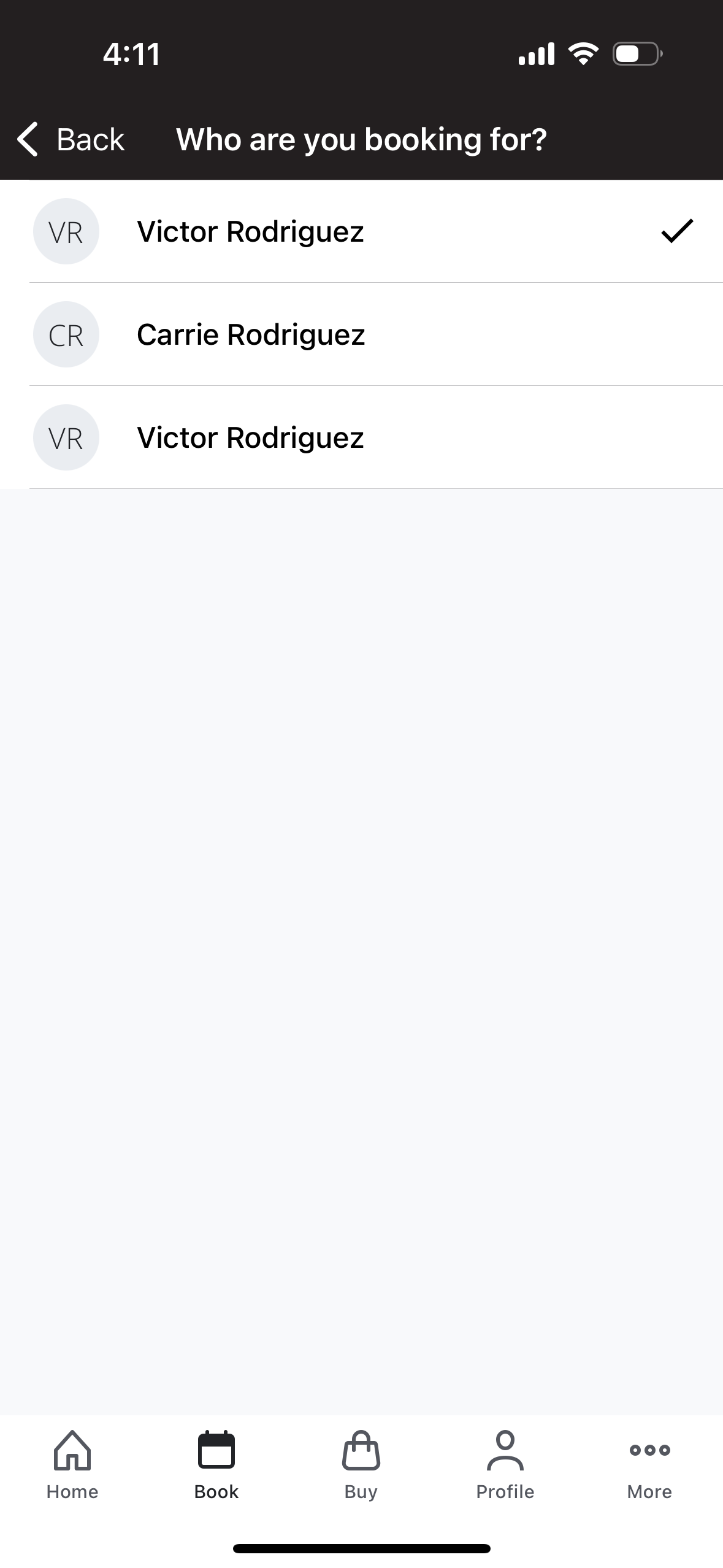
Choose your recipient from the list to book a class and transfer the credit
Select the class you want to book and click the 'Book' button

%201%20(1).png)